
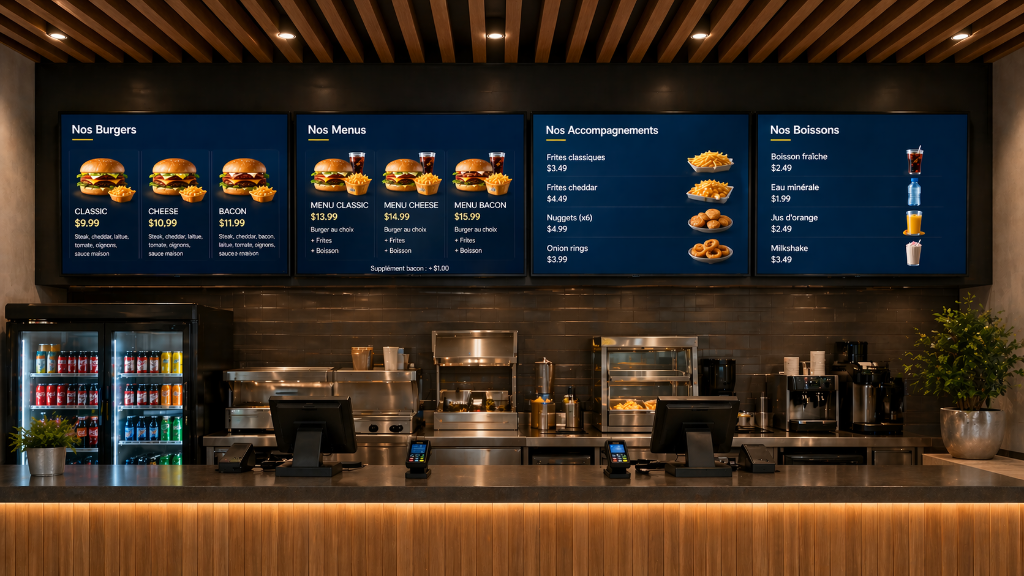
What it changes for you
Features
A powerful tool to broadcast the right content at the right time, without complications.
Multi-Screen Management
Control up to 4 screens from a single dashboard. Organize them into groups and broadcast in bulk.
Dynamic Playlists
Create playlists with smooth transitions. Schedule playback by day and time.
NHL Highlights
Automatically display YouTube highlights from NHL games on your screens.
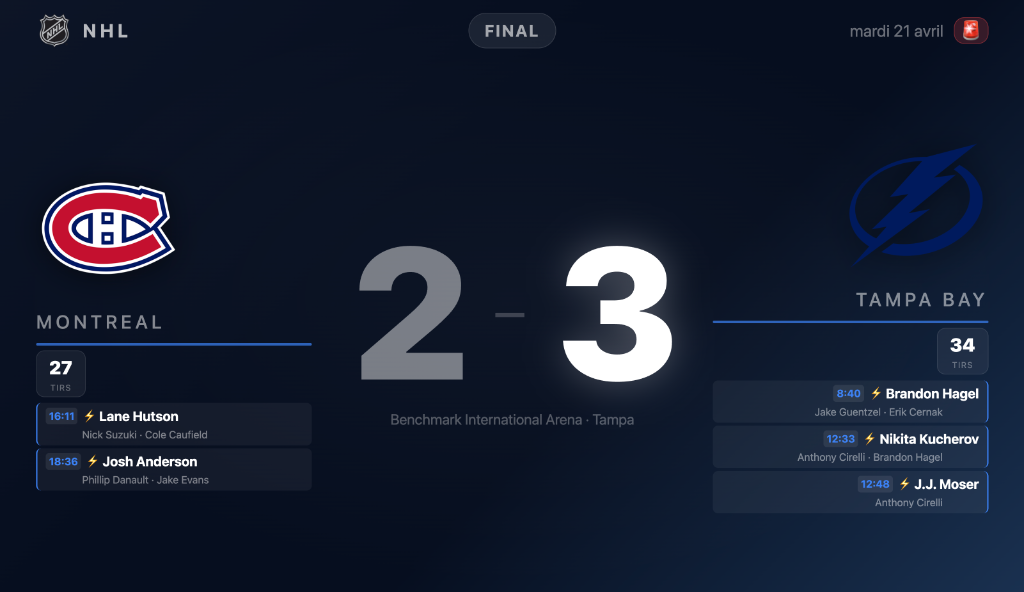
Live Sports Scores
Broadcast real-time scores from NHL, NFL, NBA and MLB with goal animations.
Live Weather
Display local weather with 5-day forecasts and animated icons for any city.
Smart Scheduling
Plan when each playlist displays. Broadcast the right content at the right time automatically.
Impressive Slides
Ready-to-use native content or import your own images, videos and clips.
Import your own media
PNG, JPG, MP4, MOV — drag and drop or browse
What You Need to Get Started
No specialized equipment needed. With accessible hardware, you'll be operational in less than an hour.
A Display Screen
Any TV or monitor with HDMI input. 43", 55" or larger — any brand works.
Standard TVA Broadcast Device
Raspberry Pi 4/5, Windows PC, Mac Mini or Linux — any device with a web browser works.
Raspberry Pi · Windows · macOS · LinuxA Wi-Fi Connection
The Raspberry Pi connects to your Wi-Fi network or Ethernet cable to access NexDisplay.
Wi-Fi or WiredThat's it!
Set the URL for your screen in the dashboard and your content displays instantly.
No complex setupAny device capable of opening a web browser in kiosk mode works: Raspberry Pi, Windows, macOS or Linux.



Pricing
No surprises. Choose the plan that fits your needs.
Solo
Perfect for a single screen
Choose Plan
- 1 screen
- Unlimited playlists & slides
- NHL Highlights
- Live weather & sports scores
- Smart scheduling
- Standard support
Choose Plan
Starter
Up to 4 screens
Choose Plan
- Up to 4 screens
- Unlimited playlists & slides
- NHL Highlights
- Live weather & sports scores
- Advanced scheduling
- Priority support
Choose Plan
Pro
Unlimited screens
Choose Plan
- Unlimited screens
- Unlimited playlists & slides
- NHL Highlights
- Live weather & sports scores
- Groups & mass broadcast
- Advanced scheduling
- Priority support
Choose Plan
FAQ
Everything you need to know before getting started.